English
 Español
 Français
 Deutsch
 العربية
 Português
 Italiano
 Polski
If you have ever tried to buy Stata, you probably hit the same wall everyone does: three edition names (BE, SE, and MP), a version number that keeps ticking up, and then a menu asking how many CPU cores you want. It reads more like ordering a server than picking a statistics package. For most people the honest answer is much simpler than the checkout page makes it look.
This guide breaks down what actually separates the three Stata editions, what the core count really does, and how to match all of that to the kind of work you do — whether that is a semester of coursework, a serious research project, or crunching millions of observations. No hype, just the parts that change your decision.
Short answer: Most students and coursework users are perfectly fine with BE, and even a 2-core license feels instant on typical datasets. Choose SE if you need more variables or larger files, and MP only if you regularly work with big data or heavy models where speed matters. If you want one key that covers all three tiers so you are not boxed in, a genuine perpetual license like the Stata 18 (MP/SE/BE) 2-core Perpetual key is the safest cheap starting point.
⭐ Key Takeaways
- BE (Basic Edition, formerly IC) handles smaller datasets and covers almost all coursework and standard research.
- SE (Standard Edition) raises the ceiling on dataset size and the number of variables you can hold.
- MP (Multiprocessor) is the fastest edition — it splits work across multiple CPU cores in parallel.
- MP speed scales with licensed cores (2, 4, 16, 64); more cores only help on large data and heavy computation.
- A perpetual key means you own that version outright, with no yearly subscription to renew.
On this page
BE vs SE vs MP: what actually differs
All three editions run the same Stata language. A do-file you write in BE will run in SE and MP without changes, and the menus, graphs, and output look identical. What changes between them is capacity and speed — not features you can see on screen.
BE (Basic Edition) is the entry tier, and it is the edition StataCorp renamed from the old “IC.” It comfortably handles the dataset sizes you meet in a typical class or a standard research paper: survey data, panel data of moderate size, cleaned administrative extracts. If your files open quickly in a spreadsheet, BE will not blink at them.
SE (Standard Edition) is about headroom. It allows wider datasets — more variables per observation — and pushes the ceiling on how large a file you can load and manipulate. If you have ever seen a “too many variables” style limit, SE is the edition that removes that worry.
MP (Multiprocessor) is the performance edition. It does everything SE does, and on top of that it divides many calculations across several CPU cores at once. On a small dataset you will not notice the difference, because the work finishes in a blink either way. On a large dataset or a computationally heavy estimator, MP can turn a coffee break into a few seconds.
Side-by-side comparison table
| BE (Basic) | SE (Standard) | MP (Multiprocessor) | |
|---|---|---|---|
| Best for | Students, coursework, standard research | Larger datasets, more variables | Big data, heavy models, tight deadlines |
| Dataset size | Smaller datasets | Larger datasets | Largest datasets |
| Variable capacity | Standard | Higher | Highest |
| Uses multiple cores | No | No | Yes (parallel) |
| Speed on big jobs | Good | Good | Fastest |
| Same commands & syntax | Yes | Yes | Yes |
How many cores do you really need?
The core count only matters for MP, and this is where buyers most often overspend. MP is licensed for a set number of cores — commonly 2, 4, 16, or 64 — and its parallel speedup scales with that number. More cores means more of the workload can run at the same time.
Here is the honest part: that scaling is only useful when there is a large amount of work to divide. Running a regression on 10,000 rows finishes so fast that 2 cores and 16 cores feel identical. The gap opens up when you are working with millions of observations, bootstrapping thousands of replications, or fitting models that are genuinely compute-heavy. If that is not your daily reality, paying for 16 or 64 cores buys you speed you will rarely see.
A practical rule: 2 cores is plenty for most individual users, 4 cores is a comfortable step up for regular large-data work, and 16 cores makes sense when heavy computation is your job rather than an occasional task. Very few individual users need 64.
Note: Buying more cores does not add features or let you open bigger files — that is what the edition (BE/SE/MP) controls. Cores only affect how fast MP runs the work it can already do. Match the edition to your data, then choose cores based on how much heavy computation you actually do.
Which edition fits you
Students and coursework. BE is the right call for the vast majority of you. Class datasets are small, assignments run instantly, and every command your syllabus covers works exactly the same. Spending on MP for a semester project is money you do not need to spend.
Researchers and analysts. If you handle wider survey files, larger panels, or you have bumped into variable limits, SE gives you room to breathe without paying for parallel speed you may not use. It is the sensible middle ground.
Big-data and heavy-computation users. If your datasets run into the millions of rows, or you routinely wait on simulations, bootstraps, and demanding estimators, MP earns its place — and this is where extra cores start paying you back in saved hours.
Versions 18, 19, and 19.5
Alongside the edition and core count, you will pick a version: 18, 19, or 19.5. Newer versions add features and refinements, but for the core statistical work most people do, any recent version is fully capable. A perpetual key means you own that specific version outright — there is no subscription clock and no annual renewal. You keep using it for as long as it meets your needs.
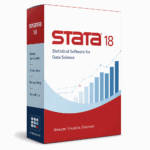
The genuine perpetual keys below are single-user licenses that cover the MP/SE/BE tiers, and they differ mainly by version and licensed core count. That means you can start on the edition you need today and still have the others available on the same key.
📦 Genuine Stata Perpetual Keys
Frequently Asked Questions
Is BE the same as the old Stata IC?
Yes. BE (Basic Edition) is the current name for what StataCorp previously called IC. It is the same entry tier, just rebranded, and it covers most coursework and standard research comfortably.
Will my do-files run the same across BE, SE, and MP?
They will. All three editions use identical Stata syntax and commands. The differences are capacity (how large your data can be) and speed (whether multiple cores are used), not the language or your results.
Do more cores make Stata “better”?
Only for MP, and only on large or compute-heavy jobs. More licensed cores let MP split work in parallel, which saves time on big data. On small datasets the difference is invisible, so extra cores are not always worth it.
What does a perpetual key actually mean?
It means you own that specific version outright — no subscription, no annual renewal. You keep using it indefinitely. If you later want a newer version, that is a separate purchase, but nothing forces you to upgrade.
I am a student on a budget — which one should I get?
BE on a 2-core key is the honest recommendation for most students. It runs class datasets instantly and covers every command a typical syllabus uses. There is little reason to pay more for MP during coursework.
Are these SoftKeys keys genuine?
Yes. SoftKeys sells genuine perpetual licenses that cover the MP/SE/BE tiers, differing by version (18/19/19.5) and core count. You get a real license you own, at a lower price than list.
Final thoughts
Stata’s checkout page makes the decision look harder than it is. Strip away the labels and it comes down to two honest questions: how big is your data, and how much heavy computation do you do? Big data pushes you toward SE or MP; heavy computation is the only reason to pay for more cores. For most students and everyday researchers, a modest edition on a low core count does everything you need — and a genuine perpetual key means you buy it once and keep it. Match the tier to your real workload, not to the biggest number on the menu, and you will spend exactly what you should.