English
 Español
 Français
 Deutsch
 العربية
 Português
 Italiano
 Polski
If you have been shopping for a Nitro PDF Pro key, you have probably noticed something confusing: there is a version 13 and a version 14, and each one shows up with an “online” key and a “manual” key at different prices. That is four listings for what looks like the same program, and it is not obvious which one you actually need.
This guide clears it up in plain English. We will explain what changed between Nitro PDF Pro 13 and 14, what the online and manual activation keys really mean, why Nitro is a cheaper alternative to Adobe Acrobat, and how to avoid the “invalid serial number” headaches that come with cracked keys. By the end you will know exactly which listing to click.
⭐ Key Takeaways
- Version 14 is the newer release with a refined interface and broader format support; version 13 is older but still a fully capable PDF editor.
- Both versions do the same core jobs: create, edit, convert, e-sign, OCR and combine PDFs on Windows.
- “Online” keys activate over the internet in seconds; “manual” keys are for offline or locked-down machines and usually cost less.
- Nitro is a lifetime, one-time purchase — a much cheaper alternative to Adobe Acrobat’s monthly subscription.
- A genuine key avoids “invalid serial number” errors that plague cracked or leaked serials.
Nitro PDF Pro 13 vs 14: what changed
Nitro PDF Pro (formerly called Nitro Pro) is a full-featured PDF editor for Windows. It lets you create PDFs from scratch, edit text and images inside existing files, convert PDFs to and from Word, Excel and PowerPoint, add e-signatures, run OCR on scanned documents, and merge or split files. Both version 13 and version 14 handle all of that.
So what is actually different? Version 14 is the newer generation. It brings a more refined, modern interface, newer features and improved support for recent file formats. Version 13 is the older release — still fully supported and perfectly capable for everyday editing, and it typically costs a little less. Here is the honest comparison:
| Feature | Nitro PDF Pro 13 | Nitro PDF Pro 14 |
|---|---|---|
| Core PDF editing (text, images, pages) | Yes | Yes |
| Convert to/from Word, Excel, PowerPoint | Yes | Yes |
| E-sign and OCR | Yes | Yes |
| Combine, split and secure PDFs | Yes | Yes |
| Interface | Classic, familiar | Refined and modernized |
| Newer features & format support | Solid | Latest |
| Prix | Lower | Slightly higher |
| Best for | Budget buyers, everyday use | Anyone wanting the newest release |
The takeaway is simple: you are not giving up the tools you use daily by choosing version 13. You are choosing between “newest” and “a bit cheaper.” Neither is a wrong answer.
Online vs manual activation keys
This is the part that trips people up most, because it has nothing to do with what the software can do. Online and manual refer only to how the key gets activated on your machine.
Online (auto) activation is the simplest option. You install Nitro, enter the key, and it verifies itself over the internet in a few seconds. If your PC is connected and you just want it to work, this is the one to pick. It is the default choice for the vast majority of buyers.
Manual activation is designed for computers that are offline, air-gapped, or on tightly locked-down corporate or institutional networks where the activation server cannot be reached automatically. You generate a request, complete the activation step manually, and apply the result. It takes an extra minute or two, and manual keys are usually priced lower — which also makes them a nice way to save money if you do not mind the extra step.
- Pick online if your PC has a normal internet connection and you want the easiest possible setup.
- Pick manual if the machine is offline or heavily restricted — or if you simply want to pay less and are comfortable with a couple of extra clicks.
Both key types unlock the exact same, fully genuine Nitro PDF Pro. There is no feature difference. You are choosing an activation method, not a lesser product.
Nitro vs Adobe Acrobat: why it is cheaper
Nitro PDF Pro is the most common Adobe Acrobat alternative for a reason. It covers the features most people actually reach for — editing, converting, signing, OCR, combining — at a fraction of the long-term cost.
The big difference is the pricing model. Adobe Acrobat Pro is a subscription: you pay every month, every year, forever, and the moment you stop paying you lose access. Nitro PDF Pro keys sold here are a one-time, lifetime purchase. You pay once and keep using that version. For anyone who edits PDFs regularly but does not need Adobe’s cloud ecosystem, the math strongly favors Nitro after the first few months.
Note: A “lifetime” key means the license is good for the life of that version — it does not expire and there are no monthly fees. It does not automatically upgrade you to future major versions (for example, 13 to 14). That is exactly why the version number matters when you buy.
Avoiding “invalid serial number” problems
Rechercher around and you will find people complaining that their Nitro key throws an “invalid serial number” error, or that it worked for a week and then stopped. Almost every one of those stories traces back to the same root cause: a cracked, leaked, or shared serial pulled from a shady site.
Those serials fail for predictable reasons. They get used on hundreds of machines and are blocked, they were never valid to begin with, or they are revoked once flagged. You end up with software that nags, deactivates, or refuses to open the features you paid for — on top of the security risk of installing files from untrusted sources.
A genuine key is the fix. When you buy a legitimate license, the serial is valid, unique to your purchase, and activates cleanly — online or manually. That is the whole point of buying from a real seller instead of hunting for a crack: you pay a fair price once and it just works, without the invalid-serial roulette.
Which one should you buy?
Here is the honest, no-hype recommendation based on who you are:
- Most people: Nitro PDF Pro 14 with online activation. Newest version, easiest setup, done in minutes.
- Budget-minded on a normal PC: Nitro PDF Pro 13 online saves you a little and still does everything you need.
- Offline, restricted, or maximum savings: Nitro PDF Pro 14 manual activation is the cheapest way onto the latest version if you do not mind an extra step.
There is no wrong choice among genuine keys — only the one that fits your machine and budget best.
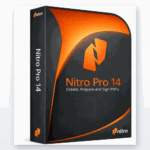
📦 Genuine Nitro PDF Pro Keys
Frequently Asked Questions
Is Nitro PDF Pro 14 worth it over version 13?
If you want the newest interface, the latest features and the broadest format support, yes — version 14 is the current generation. But version 13 handles the same core editing, converting, signing and OCR tasks and costs a little less, so it is a smart pick if you want to save money.
What is the difference between an online key and a manual key?
Only the activation method. An online key verifies itself over the internet in seconds, while a manual key is for offline or locked-down PCs and takes a couple of extra steps. Both unlock the exact same, fully genuine software.
Why is the manual activation key cheaper?
Manual keys are priced lower because activation takes a little more effort on your end. The software itself is identical — you are simply trading a couple of extra clicks for a lower price, which makes manual keys a good deal for offline machines or budget buyers.
Will my key throw an “invalid serial number” error?
Not with a genuine key. That error almost always comes from cracked, leaked or shared serials. A legitimate license is valid and unique to your purchase, so it activates cleanly and keeps working.
Is Nitro PDF Pro a good alternative to Adobe Acrobat?
Yes, for most users. Nitro covers the features people actually use — editing, converting, e-signing, OCR and combining PDFs — as a one-time lifetime purchase instead of Adobe’s ongoing subscription, which makes it far cheaper over time.
Does a lifetime key mean free upgrades to newer versions?
No. A lifetime key never expires and has no monthly fees, but it covers the version you buy. Moving from version 13 to 14, for example, is a separate purchase — which is why the version number matters when you order.
Final thoughts
Once you strip away the confusing listings, the decision is easy. Version 14 is the newest release and the online key is the simplest to activate, so that combination suits most buyers. If you want to spend less, version 13 or a manual key gets you the same genuine PDF power for less money. Whatever you choose, buy a legitimate key — it is the one reliable way to skip the “invalid serial number” nightmares and get a clean, lifetime activation the first time.