English
 Español
 Français
 Deutsch
 العربية
 Português
 Italiano
 Polski
Kaspersky is one of the most recognised names in antivirus, but the moment you go to buy a license you hit a wall of near-identical product names: Internet Security, Total Security, Small Office Security — and now Standard, Plus and Premium too. They all promise to keep you safe, so it is genuinely hard to tell what you are actually paying for and whether the pricier tier is worth it.
This guide clears that up. We compare the three classic editions SoftKeys stocks, explain exactly what each one adds over the last, and tell you honestly which type of user each is built for — so you buy the protection you need and not a feature list you will never open.
⭐ Key Takeaways
- Internet Security is the core home package: real-time antivirus, firewall, anti-phishing and Safe Money for online banking.
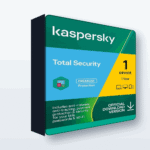
- Total Security is Internet Security plus extras — password manager, file backup, parental controls (Safe Kids) and file encryption/shredding.
- Small Office Security is a business product: it protects PCs, a Windows file server and mobile devices with simple centralised management, licensed per device and server.
- Kaspersky’s newer Standard/Plus/Premium branding maps roughly to the same idea — essential, full-featured and everything-included — but the classic editions are still sold.
- At SoftKeys the keys are genuine and cheap: Internet $35.99, Total $42.99, Small Office (1 server + 5 PC) $464.99.
What all three share
Before we split them apart, it helps to know what you get no matter which edition you pick. Every one of these produits is built on the same protection engine, so the actual malware detection, real-time scanning and web protection are the same across the board. Independent testing labs consistently rate Kaspersky’s core engine among the strongest available, and that engine sits underneath all three editions.
In other words, you are not buying “better antivirus” by moving up a tier. The paid-up editions do not detect more viruses than the entry one — they bundle extra tools around the same core. That is the single most useful thing to understand before you spend anything, because it stops you overpaying for protection you already have.
Kaspersky Internet Security
Internet Security is the everyday home package, and for most people it is the right one. It covers real-time antivirus, a two-way firewall, anti-phishing to block fake login pages, and Safe Money, which opens your banking and shopping sites in a protected browser session so card details cannot be skimmed. You also get basic privacy tools such as webcam protection and blocking of tracking.
If your needs are “keep my laptop clean, keep me safe when I bank and shop online, and do not slow the machine down,” this edition does all of it. There is nothing missing that a typical single user actually relies on day to day.
Kaspersky Total Security
Total Security is Internet Security with a set of extras stacked on top. Same protection engine, same firewall and Safe Money — plus four additions that matter if you will use them:
- Password Manager — stores and auto-fills your logins in an encrypted vault, so you can use strong, unique passwords everywhere.
- File Backup — scheduled backups of your important files to local or cloud storage, useful protection against ransomware and drive failure.
- Parental Controls (Safe Kids) — screen-time limits, content filtering and location for children’s devices.
- File Encryption and Shredding — lock sensitive files in an encrypted vault and permanently delete files so they cannot be recovered.
The honest test for Total Security is simple: will you use those extras? If you already pay for a separate password manager and cloud backup, the upgrade may be redundant. But if you want one tidy package covering the whole family, it is only a few dollars more than Internet Security and comfortably cheaper than buying those tools separately.
Note: Total Security’s extras are convenience and family features, not stronger virus protection. If a password manager, backup and parental controls are things you would genuinely use, it is great value. If not, you are paying for shelf-ware — Internet Security is the smarter buy.
Kaspersky Small Office Security
Small Office Security is a different animal. It is not a “bigger home” edition — it is built for very small businesses that have no dedicated IT staff. It protects Windows PCs, Windows file servers and mobile devices, and it adds simple centralised management so one person can see the whole company’s protection from a single web dashboard rather than walking machine to machine.
It is licensed by the number of devices and servers you need to cover, which is why the pricing looks different from the home editions. The SoftKeys package, for example, covers 1 server plus 5 PCs. If you run a shop, clinic, agency or workshop with a handful of computers and a shared server, this is the edition designed for you. If you are a single home user, it is overkill — you would be paying for server protection and management tools you will never touch.
Side-by-side comparison
| Feature | Internet Security | Total Security | Small Office Security |
|---|---|---|---|
| Antivirus & real-time protection | Yes | Yes | Yes |
| Firewall & anti-phishing | Yes | Yes | Yes |
| Safe Money (protected banking) | Yes | Yes | Yes |
| Password manager | No | Yes | Yes |
| File backup | No | Yes | Yes |
| Parental controls (Safe Kids) | No | Yes | No |
| File encryption & shredding | No | Yes | Yes |
| Windows file server protection | No | No | Yes |
| Centralised management dashboard | No | No | Yes |
| Built for | Accueil / single user | Accueil / families | Small businesses |
What about Standard, Plus and Premium?
To be upfront: Kaspersky has also introduced newer branding — Standard, Plus and Premium — which is what you will see on some of Kaspersky’s own current pages. It is fair to ask whether the classic editions are outdated. They are not; the Internet, Total and Small Office keys are still sold and activate normally.
Roughly speaking, the new tiers map onto the same idea: Standard is essential protection (like Internet Security), Plus adds a password manager and VPN, and Premium is the everything-included tier. So if you understand the classic three, you already understand the new three. Buy on what the license actually includes and how many devices it covers, not on which name sounds newest.
Which one should you buy?
Here is the plain version. If you are one person who wants strong protection and safe online banking, buy Internet Security — it is the best value and you are not missing real security by skipping the extras. If you want a password manager, backup and parental controls bundled for the household, step up to Total Security; it is only a few dollars more and replaces several separate subscriptions. If you are protecting a small business with a shared server and several PCs, Small Office Security is the only one of the three actually built for that job.
Whichever you choose, the license itself is identical whether you pay full retail or buy a genuine key at a discount — so there is no reason to overpay.
📦 Genuine Kaspersky Keys
Frequently Asked Questions
Does Total Security detect more viruses than Internet Security?
No. Both editions use the same protection engine, so their malware detection is identical. Total Security adds convenience and family tools — a password manager, backup, parental controls and encryption — not stronger antivirus. You upgrade for the extras, not for better protection.
Can I use Small Office Security at home?
You can, but it is not designed for that. Small Office Security is built around protecting a Windows file server and managing several machines centrally, which a single home user does not need. For home use, Internet Security or Total Security gives you the right features at a much lower price.
What is the difference between the classic editions and the new Standard, Plus and Premium tiers?
They are largely two names for the same idea. Standard lines up with Internet Security, Plus and Premium line up with Total Security’s fuller feature set. The classic Internet, Total and Small Office keys are still sold and activate normally, so you can buy either as long as you check what each license actually includes.
How many devices does each license cover?
The SoftKeys Internet Security and Total Security keys shown here cover 1 device for 1 year. Small Office Security is licensed by device and server count — the package here covers 1 server plus 5 PCs. Multi-device home options exist too, so check the product page for the exact count before buying.
Is a cheap Kaspersky key from SoftKeys genuine?
Yes. The keys SoftKeys sells are genuine Kaspersky licenses that activate through Kaspersky’s normal process and receive updates like any retail copy. The lower price comes from how the keys are sourced, not from the software being different — the protection you get is exactly the same.
Which edition is best value for one person?
Internet Security at $35.99. It gives a single user everything that matters — real-time antivirus, firewall, anti-phishing and Safe Money for banking — without paying for family or business tools. Move up to Total Security only if you will actually use the password manager, backup or parental controls.
Final thoughts
The reason Kaspersky’s editions feel confusing is that they are not really “good, better, best” versions of the same antivirus — they are the same antivirus with different tools bolted on for different people. Once you see it that way, the choice is easy: Internet Security for a single user, Total Security for a family that wants extras in one package, and Small Office Security for a small business with a server to protect. Match the edition to how you actually live and work, buy a genuine key at a fair price, and you will not overpay for features you will never open.