English
 Español
 Français
 Deutsch
 العربية
 Português
 Italiano
 Polski
You found an antivirus key for a fraction of the shelf price, paid, and got a string of letters and numbers in your inbox — and now you’re staring at it wondering what to actually do next. That’s a completely normal place to be. A license key on its own doesn’t protect anything until it’s activated inside the software or added to your account with the vendor.
The good news is that activation is usually a five-minute job, and it’s different for each brand. This guide walks through the exact steps for ESET, Kaspersky, Norton and McAfee, explains why a genuine key works the same whether you paid $30 or $80, and shows you what to do in the rare case a key doesn’t take on the first try.
⭐ Key Takeaways
- A license key does nothing until it’s activated in the app or added to your vendor account.
- Each brand has its own system — ESET HOME, My Kaspersky, your Norton account and your McAfee account.
- Genuine keys authenticate against the vendor’s servers, so a cheap price doesn’t mean weaker protection.
- Some cheap keys are “bind” or account keys (added to an account) rather than retail keys you type in the app — check which you have.
- If a key won’t activate, the issue is almost always the seller, not the key itself.
On this page
The general activation flow
Every brand is slightly different, but the underlying pattern is the same across all four. Once you understand the shape of it, the per-brand steps make a lot more sense.
- Know what you received. Most cheap keys arrive as either a license key you type directly into the software, or a redemption/activation code you add to a free vendor account. Both are legitimate — they’re just two different doorways.
- Understand retail vs bind keys. A retail key is entered inside the app. A “bind” or account key is added to a vendor account (yours or a supplied one) and the protection follows that account. If your product name says “bind key,” expect the account route.
- Create or sign in to the vendor account. ESET, Kaspersky, Norton and McAfee all use a free account to manage licenses. It’s worth setting one up even for a typed-in key, because it lets you see your subscription and reinstall later.
- Install, then activate. Download the software from the vendor’s official site, install it, and enter your key or sign in when prompted.
How to activate an ESET key
ESET gives you two clean paths, and which one you use depends on the kind of key you bought.
Option A — activate in the app
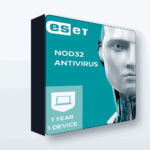
- Download and install ESET NOD32 Antivirus from eset.com.
- Open the app and look for the activation prompt (or go to Help and support → Activate product).
- Choose Use a purchased license key and paste your key (the format looks like XXXX-XXXX-XXXX-XXXX-XXXX).
- The app checks the key against ESET’s servers and switches to protected status.
Option B — add it to ESET HOME
If you were given a bind/panel key, sign in to your ESET HOME account, add the license there, and then install using that account. The protection is tied to the account rather than typed into the app. If you’re unsure which you have, our ESET bind key guide breaks down the difference.
How to activate a Kaspersky key
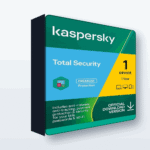
Kaspersky uses a short activation code (formatted like XXXXX-XXXXX-XXXXX-XXXXX) and a free My Kaspersky account.
- Download and install your Kaspersky product from kaspersky.com.
- Open the app, go to the License or Profile area, and choose Enter activation code.
- Type or paste the 20-character code and confirm — the app validates it online and shows your remaining days.
- Alternatively, sign in to My Kaspersky in a browser, open Licenses, add the activation code there, and it will be available when you sign into the app.
Not sure which Kaspersky edition you actually need? Our Razem vs Internet vs Small Office comparison can help before you activate.
How to activate a Norton key
Norton is account-first, so the account step comes before you install anything.
- Go to norton.com and sign in to your Norton account, or create one if this is your first Norton product.
- Choose to enter a product key (or redeem your code) and paste it in.
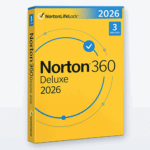
- Norton links the subscription — often Norton 360 Deluxe — to your account.
- Download the installer from your account dashboard, run it, and the protection activates automatically because it’s tied to the account you just signed into.
Because Norton binds to the account, keep your login details safe — that account is now your proof of subscription and your route to reinstalling on a new device.
How to activate a McAfee key
McAfee works much like Norton: your account holds the subscription, and a retrieval or redemption code connects it.
- Visit mcafee.com and create or sign in to your McAfee account.
- Find the redeem code or enter code option and paste your retrieval/redemption code.
- McAfee attaches the subscription — such as McAfee Razem Protection — to your account.
- Download the software from your account, install it, and it activates against the license you just redeemed.
What to do if a key won’t activate
Genuine keys authenticate directly with the vendor, so problems are uncommon — but if one does refuse, work through these before assuming the key is bad.
- Check for typos. Copy and paste rather than typing, and watch for confusing characters. Many keys have no letter O — it’s a zero.
- Confirm you’re using the right route. A bind/account key entered as an in-app retail key (or vice versa) will fail. Re-read the delivery email to see which you have.
- Match the product and region. A Kaspersky code won’t work in a McAfee installer, and a few licenses are region-specific. Make sure the edition matches what you bought.
- Remove any trial or leftover install. An expired trial of the same brand can block a fresh activation. Uninstall it, reboot, then try again.
- If it still fails, contact the seller. With a genuine key the risk was never the key — it’s whether the seller supplied a valid, unused one. A reputable store replaces a bad key without a fuss. That’s exactly why where you buy matters more than the price.
📦 Genuine Antivirus Keys
Frequently Asked Questions
Is a cheap antivirus key weaker than an expensive one?
No. A genuine key activates the exact same software through the vendor’s own servers. The protection, updates and features are identical — the only thing that changes is what you paid to get the key.
What is the difference between a retail key and a bind key?
A retail key is typed directly into the app to activate it. A bind or account key is added to a vendor account, and the subscription follows that account. Both are legitimate; your delivery email will tell you which one you have.
Do I need to create a vendor account to activate my key?
For Norton and McAfee, yes — they are account-based by design. ESET and Kaspersky let you activate in the app directly, but creating a free account is still useful for managing and reinstalling your license later.
Can I move my key to a new computer?
Usually yes. These are 1-device licenses, so you activate on one machine at a time. If you replace that device, you can typically deactivate the old one from your vendor account and reinstall on the new one for the rest of your term.
My key won’t activate — is it fake?
Not necessarily. Most failures come from typos, using the wrong activation route, or a leftover trial blocking the install. Work through those first, and if it still fails, a reputable seller will replace a genuine key that didn’t work.
Where should I download the antivirus software from?
Always download from the official vendor site — eset.com, kaspersky.com, norton.com or mcafee.com. Your key activates that official installer; you never need software from anywhere else.
Final thoughts
Activating a cheap antivirus key is far less complicated than it feels the first time. Figure out whether you have an app key or an account key, download the software from the official site, and follow the four-step flow for your brand. A genuine key does the same job at any price — so the only thing worth being picky about is buying from a seller who stands behind what they sell.