English
 Español
 Français
 Deutsch
 العربية
 Português
 Italiano
 Polski
If you shop around for ESET, you will run into a confusing mix of listings. Some sellers offer a “retail key,” others a “bind key,” a “panel key,” or a “multi-device account key,” and the prices can be surprisingly different. When one option costs a fraction of another, it is natural to wonder what the cheap one actually is, whether it activates real ESET software, and whether you will lose it in a month.
This guide clears that up in plain English. We will explain what an ESET bind key is, how it differs from a normal retail key (and from OEM licenses you see with other software), whether it is safe to buy, and how activation actually works, so you can pick the right ESET product with confidence.
- A bind key is activated through an ESET account or panel using a code; a retail key is typed directly into the app.
- Both activate genuine ESET and pull the same real-time updates and signatures.
- Bind and panel keys are common for multi-device and volume licenses, not a sign of a fake.
- The real risk with any cheap key is the seller, not the key type.
- Buy from a reputable store, keep your ESET HOME login, and you get the full protection you paid for.
What is an ESET bind key?
ESET licenses are managed through an ESET HOME account, which acts as your license manager and dashboard. Every ESET license, no matter how you bought it, ultimately lives in this system. Where “bind key” and “retail key” differ is in how the license gets attached to your software.
A bind key (sometimes called a panel key or account activation key) is activated by adding it to an ESET account or panel using a provided activation code. Instead of pasting a product key into the desktop app, you add the license to your ESET HOME account, and your devices then draw protection from that account. This method is common for multi-device licenses and larger volume quantities, because managing many seats from one panel is far easier than typing a separate key into every machine.
Crucially, a bind key activates the exact same genuine ESET software as any other license. There is no “lite” version behind a bind key. It downloads the same engine, the same signature updates, and the same modules. The word “bind” simply describes that the license is bound to an account rather than entered as loose text.
Bind vs retail vs OEM
Three terms get thrown around interchangeably, but they describe different things. Retail and bind are two activation methods for genuine ESET. OEM is a licensing category you see with software in general (Windows, Office, and some security suites). Here is how they line up.
| Aspect | Retail key | Bind / panel key | OEM license |
|---|---|---|---|
| How you activate | Type the key into the ESET app | Add the code to your ESET account/panel | Often pre-tied to a device or seller account |
| Genuine software? | Yes | Yes | Yes (when legitimately sourced) |
| Real updates? | Yes | Yes | Yes |
| Typical use | Single or few devices | Multi-device and volume licenses | Bundled or hardware-linked deals |
| Best for | Users who want plug-and-play activation | Households or users managing several devices from one panel | Buyers comfortable with device-tied terms |
The headline point: none of these three is inherently “fake” or “cracked.” A cracked copy has no license at all and is patched to bypass activation, which is a completely different and unsafe thing. Retail, bind, and OEM are all real licenses with real entitlements. They just differ in how the license is delivered and where it can be used.
Is it safe to buy?
Yes, a genuine bind key is safe to buy and use. Let us be honest about where risk actually lives, because there is a lot of fear-mongering online.
The safety of a cheap ESET key comes down to the seller, not the key type. A legitimate license from a reputable store activates and updates exactly like one bought at full price from a big-box shop. A questionable license from an anonymous marketplace can be a stolen, refunded, or region-abused key that gets revoked, and that risk exists whether it is labeled “retail” or “bind.” So the label is not what protects you; the source is.
Precios are low for legitimate reasons: volume purchasing, regional pricing, and thin-margin digital distribution let honest resellers charge far less than sticker price. That is why you can find NOD32 for $29.99 without anything being wrong. What you should check is the seller: clear product pages, real support, a working delivery process, and a refund or replacement policy if a key ever fails to activate. Get those, and a bind key is every bit as safe as a retail one.
How activation works
Activation is quick either way. The steps differ slightly depending on which type of license you have.
For a retail-style key:
- Download and install ESET from the official site for your product (NOD32 or HOME Security).
- Open the app and choose to activate with a license key.
- Paste the key, confirm, and let it pull the latest updates.
For a bind / panel key:
- Create or sign in to your ESET HOME account.
- Add the license to your account using the activation code you were given.
- Install ESET on each device and sign in with the same account, or apply the license from the panel.
- Your devices activate from the account and start receiving updates.
In both cases the end result is identical: a fully licensed, fully updating ESET installation. If anything does not activate on the first try, a reputable seller will replace the key, which is one more reason the seller matters more than the label.
Which ESET edition to buy
Once you understand that the key type is just an activation method, the real decision is which ESET product fits your needs. There are two main tiers.
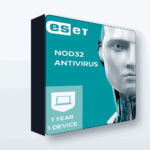
ESET NOD32 Antivirus is the core antivirus. It gives you the well-regarded ESET detection engine, real-time protection, and low system impact. If you want solid, no-frills malware protection for a laptop or desktop, this is the pick. It comes in 1-device and 5-device options, plus 3 and 10, and larger panel quantities.
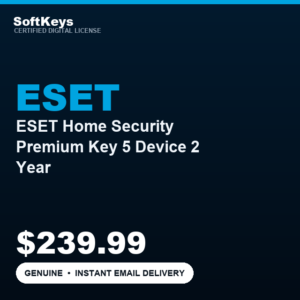
ESET HOME Security comes in Essential, Premium, and Ultimate tiers and adds more on top of core AV, such as extra privacy and security tools depending on the tier. HOME Security Premium is a good middle choice if you want more than plain antivirus. Choose the device count that matches your household, and remember that multi-device licenses are exactly where bind/panel activation shines.
📦 Genuine ESET Licenses
Frequently Asked Questions
What is an ESET bind key?
It is a genuine ESET license that you activate by adding a supplied code to your ESET HOME account or panel, rather than typing a key straight into the app. It is common for multi-device and volume licenses and activates the same real ESET software.
Is a bind key different software from a retail key?
No. Both activate identical, genuine ESET with the same engine and the same real-time updates. The only difference is the activation method: retail keys go into the app, bind keys go into your account or panel.
Are cheap ESET bind keys safe to buy?
A genuine bind key from a reputable seller is safe and works normally. The risk with any cheap key comes from the seller, not the key type. Buy from a store with clear support and a replacement policy and you are fine.
Will a bind key get real virus updates?
Yes. Once the license is added to your ESET account and applied to a device, it pulls the same signature and module updates as any full-price license. There is no reduced protection.
How is a bind key different from OEM?
OEM describes a licensing category, often tied to a device or bundle. Bind describes an activation method through an account or panel. Both can be genuine; they simply refer to different aspects of how a license is sold and applied.
Do I need an ESET HOME account for a bind key?
Yes, an ESET HOME account is where the license is added and managed. It is free to create, lets you see remaining time, and lets you manage devices and renewals yourself.
Final thoughts
An ESET bind key is not a downgrade or a trick. It is simply a genuine license delivered through your ESET account instead of typed into the app, and it is especially handy for multi-device coverage. Retail, bind, and OEM are all real licenses; what actually protects you is buying from a trustworthy seller. Pick the edition and device count that fit your setup, add the license to your ESET HOME account, and you will get the full, updating protection you paid for at a fair price.