English
 Español
 Français
 Deutsch
 العربية
 Português
 Italiano
 Polski
If you design buildings, interiors, or landscapes, you have almost certainly hit the moment where a flat CAD model needs to look like a real place — sunlight, materials, greenery, and a mood a client can actually feel. Three tools dominate that conversation: Enscape, Lumion, and Twinmotion. They all do real-time architectural visualization, they all produce beautiful results, and they all get recommended loudly by people who happen to use one of them.
This guide skips the hype. We will look at how each one actually fits into a working day, where each is genuinely stronger, what hardware you need, and how to license the one you choose without paying the inflated sticker price. If you already know you want it, Twinmotion is the cheapest entry point at $339.99, but read on first — the right pick depends entirely on how you work.
Short answer: Choose Enscape if you want to render live inside Revit, SketchUp, Rhino, ArchiCAD, or Vectorworks while you design. Choose Lumion if you want the richest built-in library and the most polished, lush scenes. Choose Twinmotion if you want strong Unreal Engine quality with the easiest learning curve and the lowest price. All three need a capable GPU.
⭐ Key Takeaways
- Enscape is a plugin that lives inside your CAD app, so your model and the render update together in real time — unmatched during active design.
- Lumion is a standalone app with a huge library of models, materials, and nature effects, built for producing rich, atmospheric scenes.
- Twinmotion is a standalone Unreal Engine app that is affordable, easy to learn, and capable of high-end path-traced output.
- All three demand a reasonably strong dedicated GPU; this is not software you run comfortably on integrated graphics.
- SoftKeys prices: Enscape and Lumion Pro at $402.99, Twinmotion at $339.99 — genuine one-year commercial licenses.
The core difference: plugin vs standalone
Before comparing features, understand the one distinction that shapes everything else: how the renderer connects to your model.
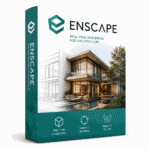
Enscape is a plugin. It installs into your CAD application — Revit, SketchUp, Rhino, ArchiCAD, or Vectorworks — and opens a live rendering window alongside it. When you move a wall, swap a material, or drag the sun, the render updates instantly because it is reading the same model you are editing. There is no export step and no separate file to keep in sync.
Lumion and Twinmotion are standalone applications. You build your model in your CAD tool, then export or sync it into a separate program where you add environment, vegetation, people, and effects. This adds a step, but it also means the visualization work happens in a purpose-built environment with its own vast asset libraries, without slowing down your CAD software. Twinmotion and Lumion both offer live-sync links that reduce the friction, but the visualization still lives in its own app.
That plugin-versus-standalone split is the real fork in the road. Enscape optimizes for staying in your design tool; Lumion and Twinmotion optimize for a dedicated, feature-rich presentation environment.
Enscape: render while you design
Enscape’s whole reason for existing is immediacy. Because it runs inside your modeling software, there is essentially zero gap between making a change and seeing it rendered. For architects who iterate constantly — testing ceiling heights, glazing ratios, or finish options in a client meeting — this is the closest thing to a live design conversation the industry has.
That workflow makes Enscape less of a final-presentation tool and more of a design-time companion, though it is perfectly capable of producing polished stills, panoramas, and walkthrough videos too. Its asset library is smaller than Lumion’s, and it leans toward architectural realism rather than dramatic cinematic effects. If your goal is to understand and communicate a design as it evolves, Enscape’s synchronized rendering is hard to beat.
The trade-off is that Enscape’s live rendering leans heavily on your graphics card. Because it renders continuously while you work, a weak GPU turns the experience from magical to sluggish. A strong, modern dedicated GPU is not optional here — it is the whole point.
Lumion: the richest scenes and library
Lumion is built for beauty and atmosphere. Its standout is an enormous built-in library: thousands of models, materials, trees, plants, people, and vehicles, plus weather, water, and lighting effects that let you turn a bare massing model into a convincing environment quickly. If you need a project to sit in a lush landscape, a rainy street, or golden-hour light, Lumion gives you those ingredients out of the box.
That richness makes Lumion a favorite for final presentation imagery and client-facing renders where mood matters as much as accuracy. The trade-off is the standalone workflow: you export or sync your model into Lumion, then do your scene work there. It is less suited to rapid in-design iteration and more suited to producing the polished deliverable at the end of a project.
Lumion also tends to be the most demanding of the three when scenes get large and dense — all those trees and reflections cost GPU power and memory. For serious landscape-heavy work, budget for a capable graphics card with plenty of VRAM.
Twinmotion: value and ease of use
Twinmotion is built on Unreal Engine, which gives it a strong quality ceiling — including path-traced rendering for physically accurate light and reflections — while remaining remarkably approachable. Newcomers often produce presentable results within a day, and the interface stays out of your way. It ships with a solid asset library of vegetation, materials, characters, and props, which covers most everyday visualization needs.
Its biggest practical advantage is price. Twinmotion consistently costs less than Enscape or Lumion, making it the natural starting point for freelancers, small studios, and anyone who wants professional output without the largest commitment. Like Lumion it is standalone, but it offers direct sync from tools such as Revit, SketchUp, Rhino, and ArchiCAD, so keeping the model current is straightforward.
Twinmotion is not the answer for everyone — its library is not as vast as Lumion’s, and it lacks Enscape’s in-CAD immediacy — but for value per dollar and speed to a good result, it is the tool that punches above its weight.
Side-by-side comparison
| Factor | Enscape | Lumion | Twinmotion |
|---|---|---|---|
| Workflow | Plugin inside CAD; live, synced rendering | Standalone; export/sync model in | Standalone; direct sync links |
| Asset library | Modest, architecture-focused | Very large, nature and effects heavy | Good, general-purpose |
| Ease of learning | Easy if you know your CAD app | Moderate; many features to learn | Easiest overall |
| Best for | Live iteration during design | Rich, atmospheric final scenes | Value, speed, and ease |
| SoftKeys price | $402.99 | $402.99 | $339.99 |
Which one should you buy?
Match the tool to how you actually work, not to a feature checklist.
If most of your value comes from iterating and presenting designs while they are still changing — and you live in Revit, SketchUp, Rhino, ArchiCAD, or Vectorworks — buy Enscape. The synchronized workflow is genuinely different from the other two.
If your deliverables are polished final renders where landscape, atmosphere, and a deep asset library carry the image, buy Lumion Pro. Nothing else fills a scene as fast or as lushly.
If you want strong, path-traced-capable quality with the gentlest learning curve and the lowest price, buy Twinmotion. It is the sensible default for freelancers and small teams, and the easiest to justify on a budget.
Hardware note: All three tools are GPU-driven and none of them run well on integrated graphics. Plan on a modern dedicated graphics card with a healthy amount of VRAM — the more ambitious your scenes and the higher your output resolution, the more that GPU matters. A strong card is the single biggest factor in whether real-time rendering feels smooth or frustrating.
📦 Genuine Rendering Licenses
Frequently Asked Questions
Is Enscape better than Lumion?
Neither is universally better — they solve different problems. Enscape renders live inside your CAD app, which is ideal while you are still designing. Lumion is a standalone tool with a far larger library, better suited to producing rich, atmospheric final scenes. Pick based on whether you value in-design iteration or polished deliverables.
Which is easiest to learn?
Twinmotion is generally the easiest to pick up. Its Unreal Engine foundation delivers strong results with a simple interface, and most new users produce presentable renders within their first day. Enscape is also easy if you already know your CAD software, since it lives inside it.
Do I need a powerful computer for these tools?
Yes. All three are GPU-driven real-time renderers and need a modern dedicated graphics card with adequate VRAM. Integrated graphics will not give an acceptable experience. Enscape’s continuous live rendering and Lumion’s dense scenes are especially demanding on the GPU.
Can Twinmotion produce quality as high as Lumion?
Twinmotion is very capable, including path-traced rendering for accurate light and reflections. For many projects the output is comparable. Lumion’s advantage is its much larger built-in library and effects, which make dense, lush environments faster to build rather than making individual renders inherently better.
Does Enscape work with my CAD software?
Enscape runs as a plugin inside Revit, SketchUp, Rhino, ArchiCAD, and Vectorworks. If you work in one of these, Enscape integrates directly and renders your live model. If your primary tool is not supported, a standalone option like Lumion or Twinmotion may fit better.
Are SoftKeys licenses genuine?
Yes. SoftKeys sells genuine one-year commercial licenses — Enscape and Lumion Pro at $402.99, and Twinmotion at $339.99 — at prices well below typical retail, so you get authentic software without overpaying.
Final thoughts
There is no single winner here, and anyone who tells you otherwise is describing their own workflow, not yours. Enscape wins when rendering needs to happen live inside your design tool. Lumion wins when the scene itself — its landscape, atmosphere, and detail — is the deliverable. Twinmotion wins on ease and price, which is why it is the safest first purchase for most freelancers and small studios. Decide how you actually work, make sure your GPU is up to the job, and then license the right tool through SoftKeys to keep the cost sensible.