English
 Español
 Français
 Deutsch
 العربية
 Português
 Italiano
 Polski
If you have ever run CCleaner to free up disk space, you have probably seen the little banner nudging you toward CCleaner Professional. It is one of the most familiar upgrade prompts in Windows software, and it leaves a lot of people asking the same practical question: does the paid version actually do anything meaningful, or is the free tool already enough?
The honest answer is “it depends on how you like to maintain your PC.” In this guide we compare CCleaner Free and CCleaner Professional feature by feature, explain what you really gain by paying, and—importantly—tell you where the marketing oversells the benefits. By the end you will know whether Pro is worth it for you in 2026, and how to get a genuine key without overpaying.
⭐ Key Takeaways
- CCleaner Free covers manual junk-file cleaning, a basic registry cleaner, and browser/cookie cleaning—but you have to run it yourself and it shows ads and upgrade prompts.
- CCleaner Professional adds real-time (Active/Smart) cleaning, scheduled automatic cleaning, automatic software and driver updates, premium support, and removes ads.
- The genuine value of Pro is automation and update management, not miracle performance gains.
- Be realistic about registry cleaning: it offers modest benefit at best and is not a speed booster.
- Always download CCleaner from the official Piriform/CCleaner site and activate it with a genuine license key.
What CCleaner Free does
CCleaner Free has been the go-to Windows cleanup tool for years, and the free tier still handles the core housekeeping most people need. It focuses on three things.
- Junk-file cleaning: It scans temporary files, cache folders, log files, the Recycle Bin, and leftover data from Windows and installed applications, then removes them to free up disk space.
- A basic registry cleaner: It looks for orphaned or invalid entries in the Windows registry—broken shortcuts, missing file references, unused extensions—and offers to remove them (with an optional backup).
- Browser and cookie cleaning: It clears browsing history, cache, and cookies across your installed browsers, which is handy for privacy and for reclaiming space.
The catch is that everything is manual. You open CCleaner, run the analysis, review the results, and click Clean. There is no automatic background maintenance. The free version also displays advertisements and periodic prompts encouraging you to upgrade to Professional. For someone who does an occasional tidy-up, none of that is a dealbreaker—the free tool genuinely gets the job done.
What CCleaner Professional adds
CCleaner Professional keeps everything from the free version and layers automation and convenience on top. The headline additions are:
- Real-time monitoring (Active / Smart Cleaning): Pro watches your system in the background and cleans junk automatically as it builds up, so you never have to remember to do it.
- Scheduled / automatic cleaning: You can set CCleaner to run on a schedule—daily, weekly, or at startup—without lifting a finger.
- Automatic software and driver updates: Depending on the edition, Pro includes a Software Updater and/or Driver Updater that keeps installed programs and hardware drivers current, which closes security holes and reduces compatibility headaches.
- Premium customer support: Paid users get priority help rather than relying solely on community forums.
- No ads: The upgrade banners and advertisements disappear.
Here is a side-by-side look at how the two tiers compare.
| Feature | CCleaner Free | CCleaner Professional |
|---|---|---|
| Manual junk-file cleaning | Yes | Yes |
| Basic registry cleaner | Yes | Yes |
| Browser / cookie cleaning | Yes | Yes |
| Real-time / Smart Cleaning | No | Yes |
| Scheduled automatic cleaning | No | Yes |
| Automatic software / driver updates | No | Yes |
| Premium customer support | No | Yes |
| Ad-free experience | No | Yes |
Is CCleaner Professional worth it?
The value of Professional comes down to a single question: do you want to think about PC maintenance, or do you want it handled for you?
If you are the kind of person who happily opens CCleaner once a month, runs a scan, and clicks Clean, the free version already covers you. Paying for Pro would mostly buy you the removal of ads—nice, but not essential.
Pro earns its price when you would rather set it and forget it. Active Cleaning quietly clears junk as it appears, scheduled cleaning keeps your drive tidy without any effort, and the software/driver updater takes over a chore that most people neglect. That last point matters more than people realize: out-of-date software and drivers are a common source of security vulnerabilities and stability issues, so automated updates are arguably the most useful thing Pro brings to the table.
So Pro is worth it if you value automation, update management, priority support, and an ad-free interface. It is not worth it if you are expecting a dramatic speed boost—which brings us to the part most reviews gloss over.
An honest word on registry cleaning
Registry cleaning is the feature most heavily associated with tools like CCleaner, so it deserves a straight answer. Removing invalid registry entries offers modest benefit at best. On modern versions of Windows, a few hundred orphaned registry keys do not meaningfully slow your computer down, and cleaning them rarely produces a noticeable speed change.
That is not to say it is useless. Registry cleaning can occasionally clear out broken references left behind by uninstalled software, and CCleaner sensibly offers to back up the registry before it makes changes. But if your main reason for considering Pro is “a cleaner registry will make my PC fast,” adjust your expectations. The genuine, repeatable value in CCleaner Professional is the automation of routine cleanup and the software/driver updates—not the registry tool. We would rather tell you that honestly than sell you a myth.
Which CCleaner Pro key should you buy?
If you have decided Pro is right for you, the only thing left is choosing the right license length and device count—and paying a sensible price for a genuine key.
- 1 PC, 1 Year — $33.99: The best pick if you want to try Pro on a single computer for a year, or if you like to reassess your software subscriptions annually.
- 1 PC, 2 Year — $47.99: The value sweet spot for one machine. Two years of coverage for only a little more than a single year, so the second year is heavily discounted.
- 3 PC, 2 Year — $49.99: The clear winner for families or anyone with a desktop, a laptop, and a spare—three machines covered for two years at barely more than the single-PC price.
Whichever you choose, activate CCleaner Professional inside the official app after downloading it from the Piriform/CCleaner website. SoftKeys supplies the genuine license key; Piriform provides the software.
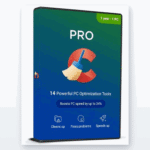
📦 Genuine CCleaner Professional Keys
Frequently Asked Questions
Is CCleaner Free safe to use?
Yes, provided you download it from the official Piriform/CCleaner website. The free version is legitimate and widely used. Just avoid third-party “cracked” downloads, which are a common source of malware.
What is the main difference between CCleaner Free and Professional?
Free requires you to run every cleanup manually and shows ads. Professional adds automation—real-time cleaning, scheduled cleaning, and automatic software/driver updates—plus premium support and an ad-free interface.
Does CCleaner Professional make my PC faster?
Not dramatically. Its real value is keeping your system tidy and up to date automatically. Expect convenience and better maintenance, not a major speed increase.
Is the registry cleaner worth using?
The registry cleaner offers only modest benefit and will not noticeably speed up a modern PC. It can clear leftover entries from uninstalled software, and CCleaner backs up the registry first, but it is not a performance tool.
How many PCs can one CCleaner Pro key cover?
It depends on the license you buy. SoftKeys offers 1 PC (1 or 2 years) and a 3 PC, 2 year option that is ideal for households with multiple computers.
Are SoftKeys CCleaner keys genuine?
Yes. SoftKeys sells genuine CCleaner Professional license keys. You download the official software from Piriform and activate it with the key you receive—no cracks, no modified installers.
Final thoughts
CCleaner Free remains a solid, trustworthy tool for anyone happy to run a manual cleanup every so often. CCleaner Professional is worth paying for when you want maintenance to happen on its own—automatic cleaning, scheduled tidy-ups, hands-off software and driver updates, priority support, and no ads. Just keep your expectations grounded: the payoff is automation and convenience, not a magical performance leap, and the registry cleaner is a minor extra rather than the star of the show. If that trade sounds right for you, grab a genuine key at a fair price and let CCleaner keep your PC in shape for you.